











Keyword Book
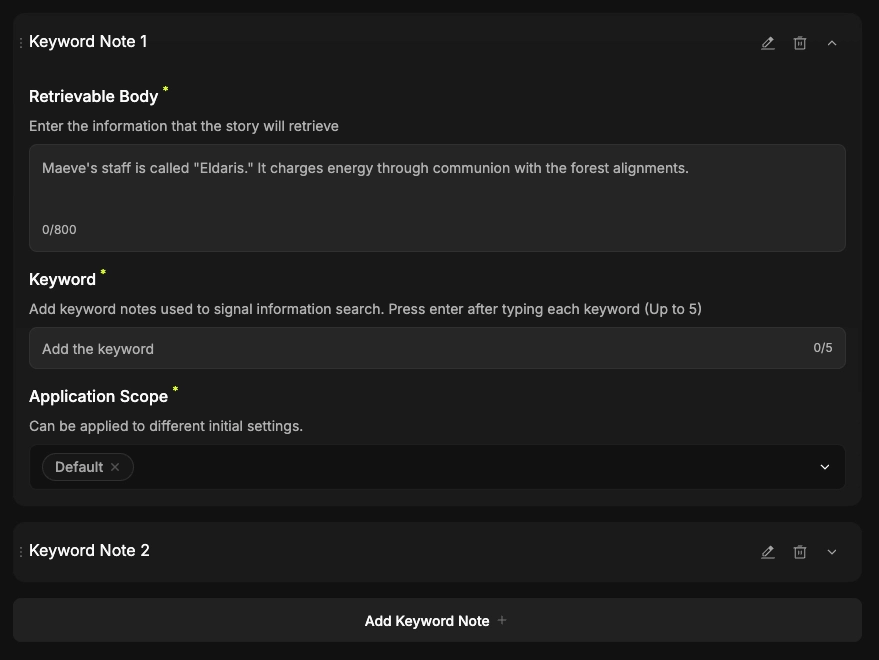
In the fifth stage, "Keyword Book," you can register a collection of "Keyword Notes"—information that the AI triggers in response to specific words. 
For example, use this when you want the AI to remember and maintain specific information, such as: if a user says "Freesia," the AI recalls that "Freesia is her favorite type of flower!"
Let’s look at the details for each item.
1. Add Keyword Notes
•
Add more Keyword Notes if you want to organize multiple topics!
•
Up to 3 Keyword Notes can be active at the same time.
•
If multiple notes are active, the one at the top takes priority. Please place your most important Keyword Notes at the beginning of the list.
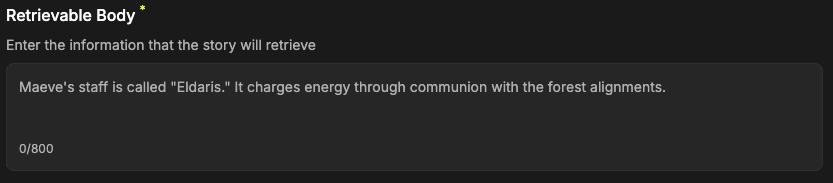
2. Retrievable Body
•
Entering key information that the story must remember will significantly improve the AI's memory.
•
Please input the specific details you want the AI to automatically retrieve when a keyword is mentioned in the story.
3. Keyword
•
Enter the important keywords that should trigger the AI to retrieve information.
•
It is best to use keywords for specific situations or objects.
Example: Keyword: Freesia -> Info: Freesia is her favorite type of flower.
4. Application Scope

•
You can apply these notes either to all Intros or to specific individual Intros.
5. Edit/Delete Keyword Book

•
This is the area where you can edit or delete your Keyword Book.
•
Use this feature if you need to update keywords or their corresponding settings on the fly!
Just like Since images, the Keyword Book is not a required element. If your story doesn't need a Keyword Book, feel free to skip to the next step!