











Stat Settings
Does your story need stats? If so, this section is for you!
For your story, you can set up stats that blend into all kinds of genres—affinity, HP, combat power, and more.
And here's the fun part—as a stat's level changes, your AI character's tone and behavior shift naturally right along with it!
1.
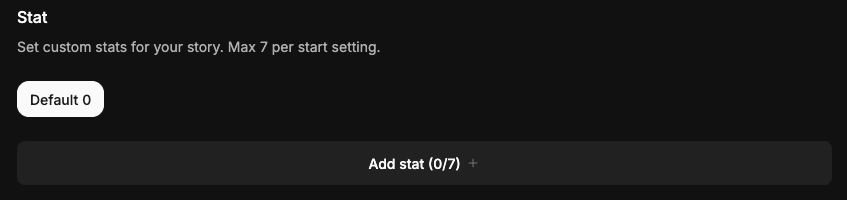
You can add up to 7 stats per start setting.
2.
There's plenty to customize—a stat's name, icon, value, level, and more.
Shall we take a look at them one by one?
1. Entering Basic Stat Info

•
You can add stats based on the start setting you set up earlier. (Up to 7 per start setting)
•
Stat Name can be up to 20 characters, including spaces.
•
Stat Icon and Color are yours to choose—pick whatever fits your story.


•
You can set a stat's Min, Max, Default, and Unit. The allowed range is −99,999 to 99,999, and the Default must be between Min and Max. The Unit supports up to 6 characters.
•
Be sure to describe each stat so the AI can understand and apply it correctly.
•
If City Hunter is hit by a direct attack from a minor antagonist or environmental hazard → moderate decrease (around -8 to -12)
•
If City Hunter sustains a serious wound from a major adversary or critical event → large drop (around -20 to -30)
•
If City Hunter successfully avoids or mitigates an attack through skill or quick thinking → slight recovery (around +3 to +7)
•
If City Hunter receives medical attention or uses a healing item → significant recovery (around +15 to +25)
•
You can copy it to your other start settings, so be sure to give that a try too!

2. Setting Stat Levels

Stat Level lets you set up different situations depending on where it lands.
Add situations that match each level's condition, and craft a story that unfolds naturally as the play progresses.
For example, a shift like (Affinity → Lover) shows right on the gauge, so you can feel the relationship's progress that much more clearly!
•
Level Name can be up to 20 characters.
•
You can branch the situation by setting an at-or-above / below condition on a specific stat value.
•
You can write a prompt of up to 200 characters for each level.
•
Give each level range a different prompt, and depending on how the play unfolds, you'll get more layered, immersive direction.
•
You can set up to 4 level ranges.
Tips & Tricks
Use it alongside the Status Window
Feel free to keep using a status window built with code-block Markdown. Stat Settings isn't meant to replace it—instead, it's a system for managing number-based values like affinity or HP on their own, and building branching story developments on top of them. 
Design your story's flow with the level system
The stat level system helps the model used in chat understand the context tied to a stat value within a specific range.
Example)
Affinity Range | Level Name | Level Prompt |
0–30 | Wary | "Stays guarded and keeps their distance from the user" |
31–60 | Fond | "Is friendly toward the user and enjoys the conversation" |
61–100 | Lover | "Starts acting affectionately toward the user" |

Make the most of these stat settings to complete a story of your own—one where every choice flows naturally into its outcome.