





Media
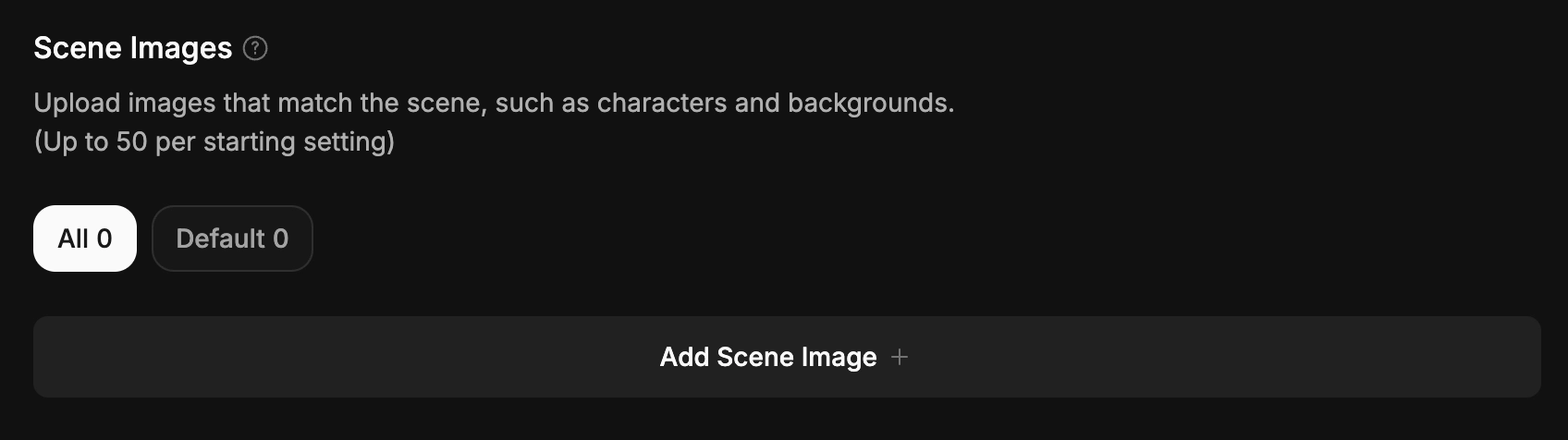
Now, let's bring your story to life with visuals! In the fourth stage, "Media," you can add Scene Images to your story.
•
You can set up specific images to appear when your story reaches a certain situation.
•
You can register up to 50 images per Intro.
1. Add Images
•
Please add images that best fit your story.
◦
Supported formats: jpeg, jpg, png, webp, gif.
◦
Maximum file size: 5MB.
◦
You can upload up to 50 images in total.
Tip: We don't recommend images that are too vertically long. Images will be registered based on a square (1:1) aspect ratio.
2. Image Details
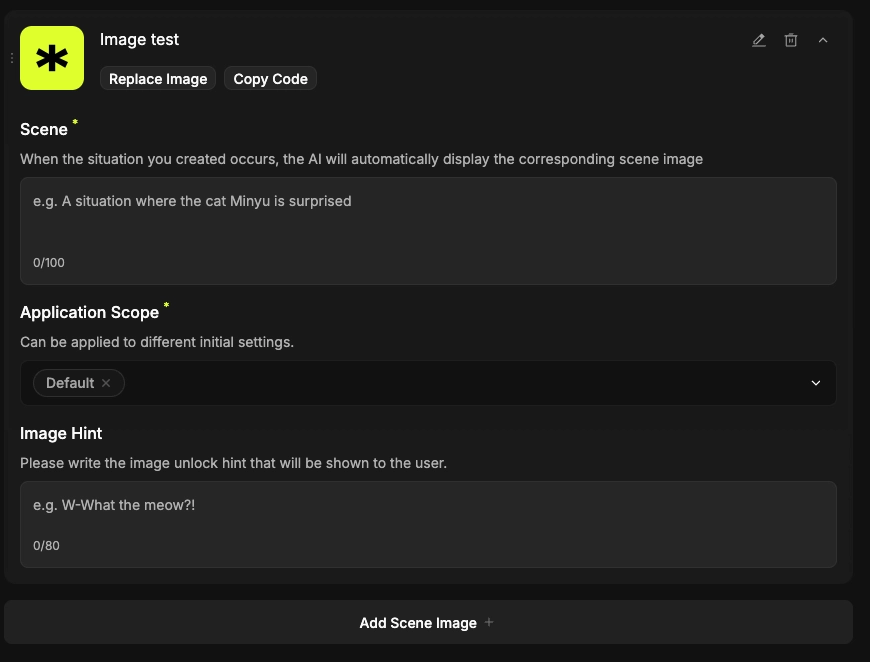
Please enter details for your added images.
* The more descriptive the situation, the "smarter" your story becomes in displaying them!
•
You can select and apply a specific range for each Intro you've set up.
•
Important: You must enter details for all uploaded images to complete the registration.
•
Usage Tip: Copy and paste the image keyword—{{img: ImageName}}—into your Opening Message or Plot Examples to trigger the image during the chat!
Since images are not a required element, you can skip to the next step if your story doesn't need them!